The Evolving Cybercriminal Market Has Given Birth to Impersonation-as-a-Service as Attackers Seek to Impersonate at Scale

New research documents Impersonation-as-a-Service (IMPaaS) as an emerging threat where profiles of victim users are available to be used in campaigns where impersonation is critical.

It’s not every day you hear about a new “aaS” in the world of cybersecurity. We’ve seen lots of service-oriented offerings in the world of ransomware, and even been made aware of those focusing on launching phishing attacks. But to hear that impersonation is now a service offered to the bad guys is seriously disturbing. Cybersecurity PhD-candidate Michele Campobasso discusses the reality of IMPaaS in his publication, Impersonation-as-a-Service: Characterizing the Emerging Criminal Infrastructure for User Impersonation at Scale. In it, he discusses a now defunct website – IMPaaS [dot] ru – that was offering “hundreds of thousands” of compromised victim “profiles”. These profiles included user credentials, cookies, device and behavioral fingerprints, and other metadata to “circumvent risk-based authentication system and effectively bypass multi-factor authentication mechanisms.”

In essence, a cybercriminal could purchase an account of an individual at a particular company, in a certain vertical, having a specific job title or function, etc. and take over as that person – not just on email, but be able to even access resources secured behind MFA!

We’ve talked about impersonation before, but it’s always been in the context of just using a person or company name or, at best, spoofing a lookalike domain name. But in the case of IMPaaS, it’s now been proven that the bad guys have a means to collect enough data, files, and credentials on a given victim to allow an attacker to pose as that victim when engaging in future malicious activity.

This should terrify organizations – the thought that you won’t be able to tell that it’s not the actual person means all security solutions are rendered useless. The only last defense against an attack that would leverage this level of impersonation is Security Awareness Training, which can teach a user to be wary of unusual requests, even when it (supposedly) comes from a known individual.

READ MORE

The Most Commonly Spoofed Business-Related Applications in a Phishing Campaign

Business-related applications like Zoom, Microsoft, and DocuSign are the most commonly spoofed services in phishing attacks, according to a new report from GreatHorn. Business apps made up 45% of all impersonation phishing attacks. Social media-related phishing attacks accounted for 34% of attacks, while consumer services like Amazon and PayPal made up 20%.

The researchers also found that while the total volume of daily phishing attempts has decreased compared to last year, the number of successful phishing attacks has increased. The researchers attribute this to attackers getting better at the social engineering aspect, as well as getting their emails past security filters.

“Though daily occurrences of phishing attacks have decreased from 36% to 25% between 2020 and 2021, weekly and monthly phishing attacks have increased from 28% to 42% and 11% to 17%, respectively,” GreatHorn says. “These attacks are increasingly difficult to detect as cybercriminals become more sophisticated and targeted in their attacks – advancing beyond the ‘batch and blast’ methodology to social engineering phishing campaigns. As a result of this, the quantity of phishing attempts being experienced by organizations may have decreased daily, but the impact of those campaigns that bypass traditional email security is increasing. As a result of increasing attacks, email security has risen to one of the top 3 IT security projects for 2021 among the organizations surveyed.”

The researchers note that a primary concern of most respondents regarding email security products was that the product would miss phishing attacks.

“Missing phishing attacks remains the top issue in current email security solutions with 39% of respondents noting this as a top concern in both 2020 and 2021,” the researchers write. They add, “Fewer organizations report being ‘satisfied’ with their current email security solution, decreasing from 76% in 2020 to 53% in 2021. On the other hand, organizations reporting their email security solution was ‘good enough’ increased from 19% in 2020 to 36% in 2021.”

New-school security awareness training can provide your organization with an essential layer of defense by teaching your employees how to recognize phishing attacks.

READ MORE

Video Verification and Deepfakes

Technology has introduced greater convenience for consumers around the world. With each new technological advancement, we have benefited from better, faster, and more accurate interactions.

Anyone over the age of 35 will likely remember a time before smartphones, internet banking, or one-click shopping. But each of these have been underpinned by reliable technology.

The pandemic of 2020 has forced many organisations to adopt remote working policies for their employees. But it has also made organisations reconsider how they interact with their customers who traditionally have walked into an office or branch to verify their identity.

Video Verification

Enter remote and video verification techniques, which are being adopted around the world, particularly in finance where KYC (know your customer) checks are essential. Video verification allows for customers to remotely verify their identity from the comfort of their own home, usually via a mobile app.

Depending on the organisation’s requirements, this can be a video interview handled by a live operator, or it could be completely automated, with the customer taking photos of their ID, themselves, and recording a video clip of themselves to be submitted as proof.

Video verification technologies are not just restricted to financial institutions wanting to carry out KYC checks, but other industry verticals are also considering implementing it to enhance their ability to remotely interact with customers and partners in a secure manner.

However, each new technological innovation brings with itself risks. Enter, deepfakes.

Deepfakes

Deepfakes can be broadly described as fabricated media created through AI and/or deep learning methods.

The chart below shows examples of what could be considered a deepfake. Anything below the green line is not really a deepfake (in accordance with our definition) because it is largely created through manual processes and not by AI or neural networks. As you move along the x axis, the sophistication increases as we move from static media such as photos to dynamic, complete videos.

Deepfake Chart

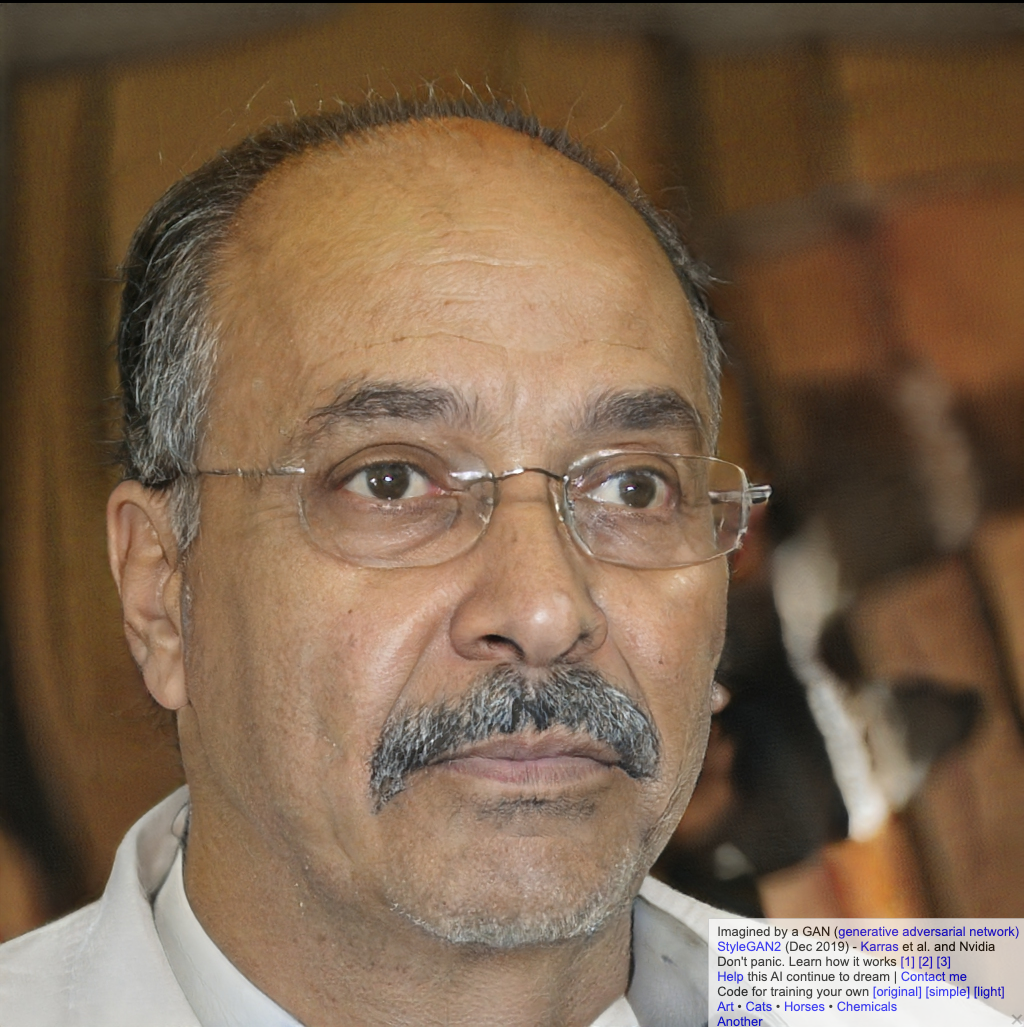
Sites like thispersondoesnotexist.com give very realistic images that are purely created by the AI. There may be some glitches in some areas with extra fingers or hair being out of place etc., but overall, they are good enough to fool most people during the first viewing, especially on smaller images (e.g., social media profile pics).

Deepfake ExampleDeepfake ExampleDeepfake ExampleDeepfake Example

Images source: thispersondoesnotexist.com

Video Deepfakes

Of all the deepfake media, videos are perhaps the most interesting and worrying.

Face swapping or puppeting is where the deepfake AI maps the face of the source images and generates a 3D face model based on the photos it is fed. The model maps out the features and then when fed a source video, it will map it over.

Some of the most famous earlier examples of these were President Obama’s deepfakes where the University of Washington’s graphics and imaging laboratory were able to use an audio clip to synthesize a high quality video of him speaking with accurate lip sync, composited into a target video clip.

President Deepfake Example

Source: http://grail.cs.washington.edu/projects/AudioToObama/

There are many other examples available whereby famous actors have been superimposed over others in movie scenes.

Risks of Deepfakes

Like most new technologies, deepfakes come with their own risks. Some early iterations of the technology were used to digitally remove clothing from women, and others have been circulating to spread disinformation or fake news, while there have been reports of criminals using deepfake audio technology to fool an organisation into sending money to a bank account controlled by fraudsters.

One of the emerging concerns is whether deepfake videos can or will be used to bypass video verification. As of today, there doesn’t appear to be any cases of deepfakes being successful in bypassing video verification systems, but that doesn’t mean it isn’t possible, or won’t be possible in the near future.

For the most part, bypassing video verification systems is a multi-step process, with video being only one part of it. There are usually documents, photos, and other checks that need to be successfully completed prior to reaching the video stage. Secondly, video verification is still a growing market, which makes it unattractive for most criminals at the present time.

Like any biometric security system, video verification will have false acceptances and false rejections. It will be up to organisations how they want to tune their systems depending on the risk that it presents.

This in itself creates a position whereby criminals can attempt DDoS attacks by flooding video verification systems with deepfake videos they know will fail, but overload the system.  

Technical Defences

Broadly speaking, there are two ways to deal with the challenge of verifying videos and photos. The first is to look for modifications in an image or video. Forensic techniques are used to pick out whether any pixels or metadata seem altered. They can look for shadows or reflections that do not follow the laws of physics, for example, or check how many times a file has been compressed to determine whether it has been saved multiple times.

The second method is to verify an image’s integrity the moment it is taken. This involves performing dozens of checks to make sure the recording device’s location data and time stamp is not being spoofed. Do the camera’s coordinates, time zone, and altitude and nearby Wi-Fi networks all corroborate each other? Does the light in the image refract as it would for a three-dimensional scene? Or is someone taking a picture of another two-dimensional photo?

There is an ever-growing number of organisations developing technologies to automate and streamline the process of validating videos that are submitted or streamed for verification.

The Menlo Park-based nonprofit research group SRI International has been working on developing tools capable of identifying when photos and videos have been meaningfully altered from their original state after being awarded three contracts by the Pentagon’s Defense Advanced Research Projects Agency (DARPA).

More recently, Microsoft launched their own tool, Microsoft Video Authenticator, which also provides the tech for Reality Defender to validate the authenticity of videos.

Human Defence

Human intervention will still be required to address claims of false rejections, or where the confidence in automated detection controls is low. So, training of staff is vital to help them understand what characteristics are common in deepfakes, how to spot them, and how to respond to them.

This is particularly important where additional videos may be sent or streamed for additional information and it is where criminals may use psychological lures to manipulate human operators.

In conclusion, there is little evidence to suggest that deepfakes are currently being used successfully to bypass video verification checks. But that does not mean it will not be possible in the future. However, at the same time, defensive techniques continue to evolve, so the onus will be on organisations to assess the risk, implement the right level of controls, and ensure staff are trained up appropriately with new-school security awareness training.

READ MORE

Recognizing Elder Scams

People need to ensure that their elderly relatives are aware of scams that target older people, according to Emma McGowan at Avast. McGowan says it’s best to avoid being condescending, and to remain aware that your older relatives have more experience than you.

“First, talk with them about what to look out for and how to protect themselves,” McGowan says. “And here’s an important point of emphasis: You need to talk with them, not at them. Your older relatives have a whole lifetime of experience; a whole lifetime of making their own decisions and relying on their own judgement. It’s unlikely that they’re going to want to be lectured by someone who is 20 or 30 or even 50 years younger than they are. Think about this way: Would you want your niece or nephew to lecture you about the safety of a neighborhood that you’d lived in for longer than they’ve been alive? Of course not! And to the same token, your older relatives don’t want to be lectured about safety online.”

McGowan explains that there are ways to show your relatives how scammers can target them.

“So instead of lecturing, empower them to take care of themselves,” McGowan writes. “One way to start the conversation is by googling their names and showing them what’s publicly available online. This is a good way to visually illustrate to them how easy it is for scammers to get information about someone.”

One of the best ways to help people avoid falling for scams is to tell them to ask you for your opinion if they think something might be a scam. Many scams try to isolate their victims to prevent them from asking for a second opinion.

“You can also offer to be their sounding board if they think something might be a scam, with no judgement,” McGowan says. “Tell them they can share any email, direct message, pop-up — anything — and you’ll help them figure out if it’s legit or not. That way, you get to help your parent (or grandparent or aunt or uncle) and they get the bonus of more time spent with you.”

New-school security awareness training can help people learn to avoid scams on their own and teach their loved ones to recognize these tactics as well.

READ MORE

The Good, the Bad, and the Ugly About MFA

I have been in computer security for over 34 years now. Yeah, even I cannot believe how long it has been. I have been a penetration tester over 20 of those years and worked on dozens of MFA and MFA hacking projects. But it was not until I developed a webinar for KnowBe4 called the 12 Ways to Hack MFA that I understood how many people were craving any information on MFA that they could find. It easily became my most requested webinar, and it still is. I taught it to hundreds of groups over the last two years, and I had standing-room only crowds at both Black Hat and RSA security conferences when they were available in person. I ended up writing an e-book on it for KnowBe4 and even helped to develop a quiz tool that mimicked my brain trying to hack your favorite MFA solution. Along the journey I learned about many more ways to hack various types of MFA. I ended up putting the over 50 ways anyone can hack MFA into a Wiley book called, Hacking Multifactor Authentication.

In the process of all that activity, writing, and testing, I have hacked or security reviewed over 150 MFA products. I have learned a lot. I have even learned new things I wish I had put in the book. I am going to share the most important facts that I have learned about MFA solutions over the last few years in my latest webinar on the subject, “Hacking Multifactor Authentication: An IT Pro’s Lessons Learned After Testing 150 MFA Solutions”. The first showing is March 10 th@ 2:00 PM ET. If you are interested in learning more about MFA, you should attend this webinar.

In the webinar, I start out by discussing all the different types of MFA, including some obscure ones that most people have probably never heard of. Then I discuss how the different types of MFA solutions can be hacked. I cover what the best types of MFA do to prevent attacks and I cover the MFA solutions that, I myself, would never use, if I didn’t have to. It is the good, the bad, and the ugly about MFA. I even tell you how you can pick the best MFA for yourself and your organization.

Let me share a few tidbits that I discuss in the webinar:

  • How your favorite MFA solution can be hacked
  • What is wrong with SMS-based MFA and why you should not use it, if you can avoid it
  • The good and bad about phone-based MFA
  • What makes one OTP MFA solution better than another
  • What MFA standards you should look for when choosing a solution
  • When you should run away from an MFA vendor

It also contains another video of uber hacker and KnowBe4’s chief hacking officer, Kevin Mitnick, bypassing a very popular web service’s MFA like it was not even there.

READ MORE

Think Your Cyber Insurance is Going to Cover that $6 Million in Cyber Fraud? Think Again.

The latest tale of an organization falling victim to a business email compromise attack on their credit card processor highlights how very specific the scenario needs to be to see a payout.

In 2018, RealPage, a Texas-based service provider for property owners and property management companies was the victim of a cyber attack that took the company for $6 million. RealPage processed their credit card transactions through a third-party processor, Stripe. Stripe fell victim to an impersonation attack where cybercriminals gained control over a RealPage user’s credentials and convinced Stripe to modify the disbursement instructions to point to a bad guy-controlled bank account. In total, $10 million was sent to the fraudulent account, with $4 million recovered.

In recent court documents where RealPage sued their cyber insurer for non-payment under their cybercrime policy, it was determined that Stripe possessed the funds at the time the fraud was committed, with the policy essentially stating that the insurer will pay for loss of or damage to “money” … resulting directly from the use of any computer to fraudulently cause a transfer of that property from inside the “premises” or “banking premises. The court found this to mean RealPage is only covered if they themselves were the victim. But, because Stripe was the victim – despite the funds belonging to RealPage – the denial of a policy payout was upheld.

Many organizations believe that just because they have cyber insurance, they’re covered against any kind of attack. But more and more of these cases are finding their way into the headlines, making it clear that you need to be sure to read the fine print and establish the specific attack circumstances that are to be covered.

Beyond this, the least expensive form of action is to work to avoid becoming a victim in the first place. In the case of RealPage, it’s highly likely that the compromised credentials were obtained using a simple phishing attack that presented itself as needing the victim user to logon to their online email. Security Awareness Training helps to mitigate these kinds of attacks by educating users about cyber attacks, banking fraud schemes, phishing attacks, and social engineering tactics.

READ MORE

[ALERT] New Stanford Research: 88% Of Data Breaches Are Caused By Human Error

A brand new report confirms what we have been saying for many years now. About 9 out 10 data breaches are caused by your users.

Researchers from Stanford University and a top cybersecurity organization found that approximately 88 percent of all data breaches are caused by an employee mistake. Human error is still very much the driving force behind an overwhelming majority of cybersecurity problems.

The study was done by  Stanford University Professor Jeff Hancock and security firm Tessian. The study “Psychology of Human Error” highlighted that employees are unwilling to admit to their mistakes if organizations judge them severely.

Understanding the psychology behind human errors helps organizations to know how to prevent mistakes before they turn into data leaks. According to the study, nearly 50% of the employees stated that they are “very” or “pretty” certain they have made an error at work that could have led to security issues to their company. The study goes into detail about the differences between young and older employees, where younger users will more easily admit to mistakes and are also easier to phish.

Other Findings include:
  • Nearly 45% of respondents cited distraction as the top reason for falling for a phishing scam.
  • 57% of remote workers admit they are more distracted when working from home.
  • The top reasons for clicking on phishing emails are the perceived legitimacy of the email (43%) and the fact that it appeared to have come from either a senior executive (41%) or a well-known brand (40%).

“Your employees are focused on the job you hired them to do and when faced with to-do lists, distractions, and pressure to get things done quickly, cognitive loads become overwhelming and mistakes can happen,” the study report concluded. Stepping users through new-school security awareness training is a must that you simply cannot afford not to do.

READ MORE

Universal Health Services Becomes Next Victim of Ryuk Ransomware, Costing $67 Million

Fortune 500 hospital and health care service provider Universal Health Services (UHS) recently became victim to Ryuk ransomware in September 2020.

UHS released the following statement, “The substantial majority of the unfavorable impact was attributable to our acute care services and consisted primarily of lost operating income resulting from the related decrease in patient activity as well as increased revenue reserves recorded in connection with the associated billing delays,”

The hospital operations system and affected systems managed to be restored. The hospital has stated that normal operations have resumed.

Remember in October 2020 when the government warned of Ryuk ransomware targeting healthcare industries? The deadly ransomware group has already hit about 20 companies a week and have been the masterminds behind the big wave of attacks on the US healthcare system.

It’s important to make sure you frequently check your network’s effectiveness. New-school security awareness training can also help your users spot and report any suspicious activity in their day to day operations.

READ MORE

New Dutch Data Breach Report Warns of Explosive Increase in Cyber Attacks and Stolen Personal Data

The Dutch Data Protection Authority (AP) recently measured the number of reports of data theft in 2020 and the number of attacks skyrocketed. The report documented that it increased no less than 30% in 2020 compared to the year prior.

Types of attacks that have been reported are centered around phishing or malware. It’s very concerning that cybercriminals are attempting to steal personal data. If successful, it can be very costly to you and your organization.

The report also detailed specifics, including 1,173 reports of data leaks which tactics are used to steal personal data. 2019 compared to the previous year alone was already increased in attacks by 25%. Therefore, the amount of attacks have only continued to increase.

In a quote by AP chairman Aleid Wolfsen detailing the report, “Many people are personally affected when criminals manage to steal their personal data. Criminals use the stolen data for identity fraud and to carry out spam and phishing attacks. The damage of such scams can be such that people really get into trouble and lose all their savings.”

With an estimated 600,000 to 2,000,000 people who were potentially affected by a data breach, it’s important to have strong password protections measures, including the use of multi-factor authentication. While not fully effective, it’s can help limit or prevent any potential damage.  New-school security awareness training is the best layer of defense for protecting your organizations from phishing and ransomware attacks.

READ MORE

Phishing Catch of the Day: Your Inbox Will be Deactivated

In this series, our security experts will give a behind the scenes look at phishing emails that were reported to PhishER, KnowBe4’s Security Orchestration, Automation and Response (SOAR) platform. We will go in-depth to show you real-world attacks and how you can forensically examine phishing emails quickly.

Each Phishing Catch of the Day will focus on a single phish attempt and describe:

  1. What context or pretexting exists between employee, hacker and email.
  2. What red flags one can look for before falling victim.
  3. What attack vector is being utilized and for what purpose.
  4. What steps to take to inoculate users from similar attacks.

The Initial Phish Breakdown

PhishER Reported Phishing Email

Figure 1: PhishER Screenshot of Reported Phishing Email

Early in the morning on Feb 11th, a Knowbe4 employee received an email that claims their inbox will be deactivated if they do not confirm their email address. The sender of this phish is hoping to generate an emotional reaction, causing a user to react without thinking.

Phishing Warning Signs and Red Flags

The best approach to consistently identify phishing is to simply ask oneself “Is this phishing?” whenever viewing an email or electronic message. The brain will naturally jump into a detective mindset and become resilient to emotional reaction.

Scroll up to the first screenshot, put on your detective cap, and try to find as many red flags as you can before continuing!

Red Flags for Phishing Email

Figure 2: Red flags found in the phishing email

Let’s gather more information from the headers of the email. Clicking on the Headers tab in PhishER will give you all headers pulled from the reported message in an easy-to-read format and highlights ip addresses and authentication information for you. Take a look at the Arc-Authentication-Results to figure out the original, non-spoofable, sender location.

Phishing Email Authentication Results PhishER

Figure 3: Arc-Authentication-Results from the Headers tab in PhishER

It appears that the email is coming from an Amazon SES server and the originating ip is 23.251.242.1. You may be able to reach out to Amazon and report abuse if necessary, especially if this is an ongoing problem from this specific address.

Phishing Attack Vector and Road to Compromise

Opening up the link found in the email, we see the landing page below.

Phishing Email Landing Page Example

Figure 4: Phishing email landing page

Notice the “NOPE” at the top and the fill-in for “nope@nope .com”. This is pulled from the ‘#’ anchor passed in to the page from the email URL. The page then uses javascript to style the form and add any icon found in Google images for the user’s email domain. This is to provide some familiarity to a victim and to imitate a generic login page that an individual might trust.

phishing email address pass-through

Figure 5: Anchor passed in from the URL in the email body

Upon entering their credentials, the page will run a js script to verify that the password and email fields are not empty and send the form contents to a remote server in Indonesia (which may explain why the email had been sent outside US business hours).

Phishing email js script

Figure 6: JS code to POST user entered credentials to a remote server

Phishing domain WHOIS results

Figure 7: WHOIS of the domain found in the POST request

Conclusions and Recommendations

The attack described above is a perfect example of credential phishing. This is a tactic where a hacker will route you to a landing page that imitates a popular or important browser application in hopes that, when you enter your username and password, they can pocket the credentials to use at a later date.

This attack can be particularly harmful to your organization because your end users are usually unaware that they have compromised their account! A malicious actor can utilize this access for weeks without detection because any activity looks to come from a legitimate account.

If you’re a KnowBe4 customer, you can find this phishing template under the IT Category on the KMSAT platform labeled, “IT: IT Support Email Shutdown (Link) (Spoofs Domain)”.

It’s important to ensure your users are staying alert of the latest attacks. Frequent phishing security tests and new-school security awareness training can help your users actively apply training techniques in their day-to-day job functions.

READ MORE